The lightning-fast, lightweight FTP server manager.Manage websites, uploads, synchronisation and logins in one place – a lean replacement for the Dreamweaver site manager.
Organise all websites in groups and import existing Dreamweaver sites or whole folders.
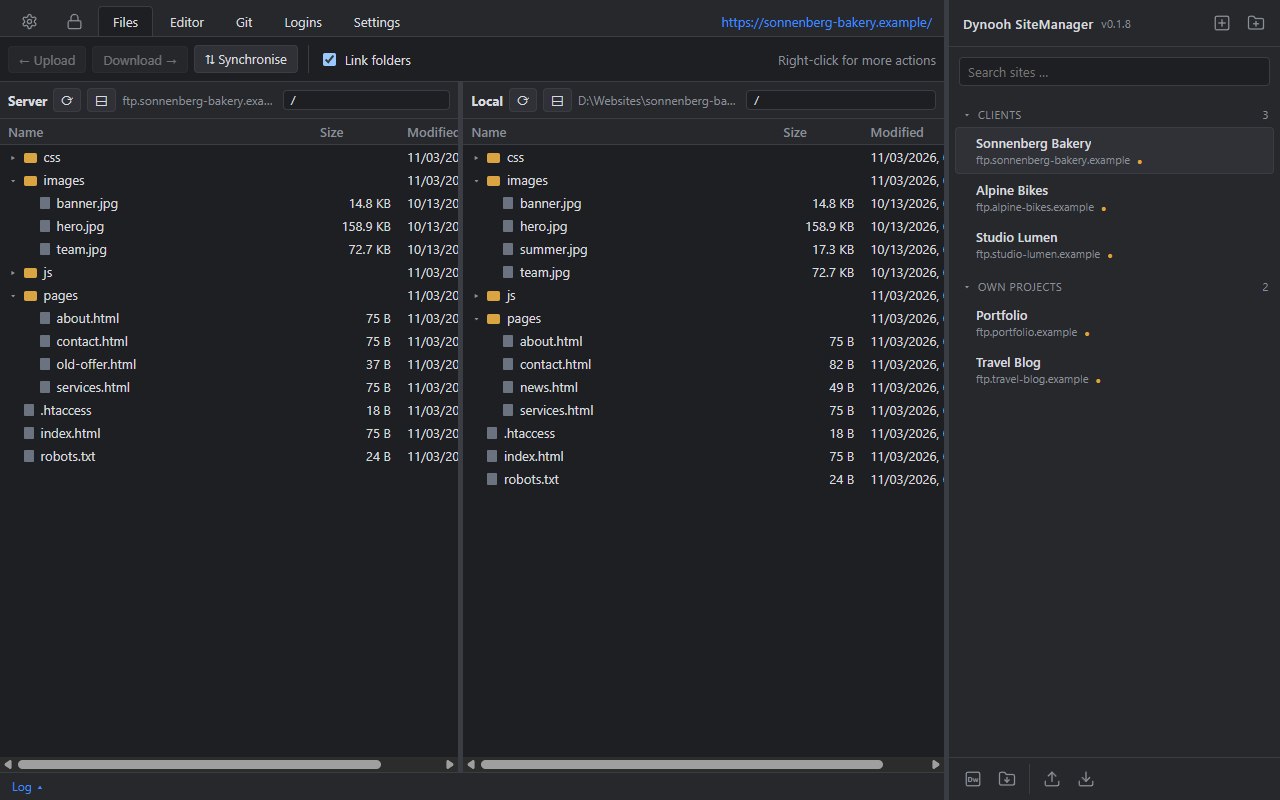
Files and FTP
Local and server files side by side, uploads and downloads run in a transfer queue.
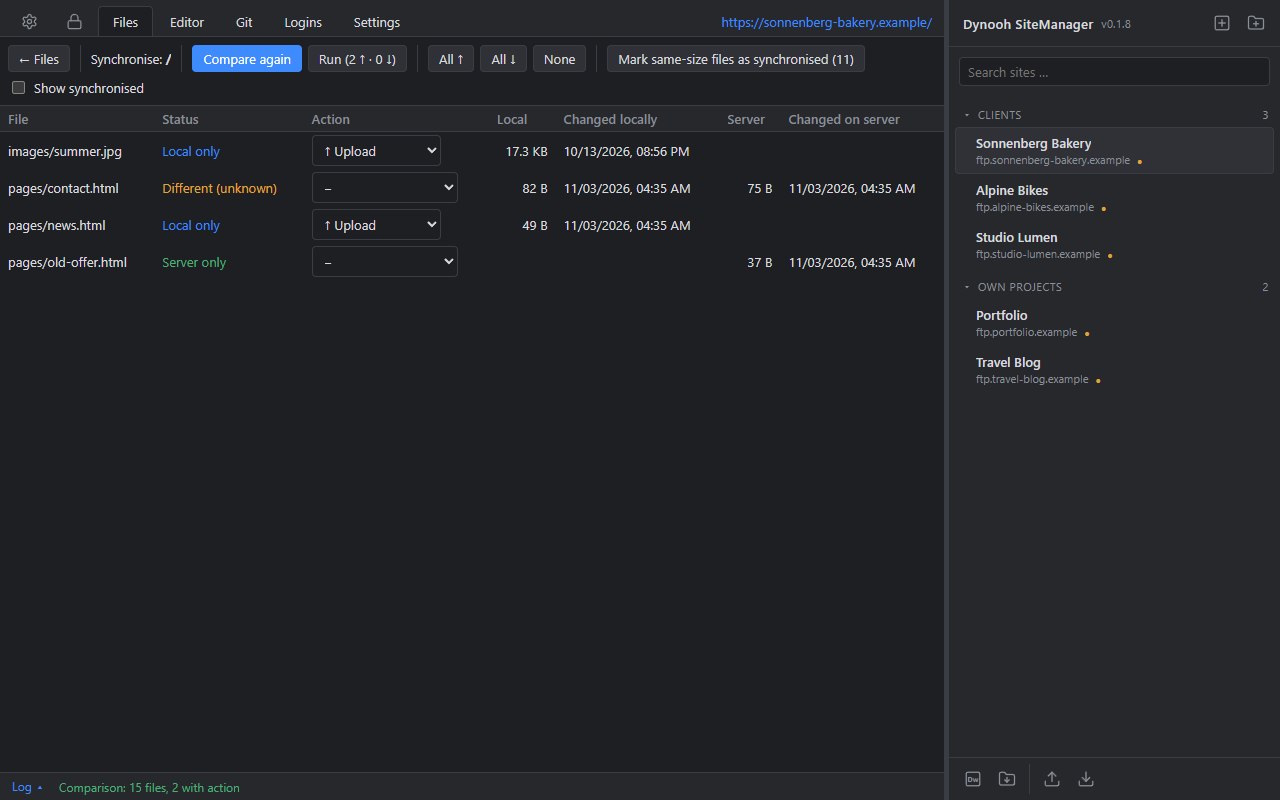
Synchronise
Compare a whole site or a single folder and upload, download or delete differences.
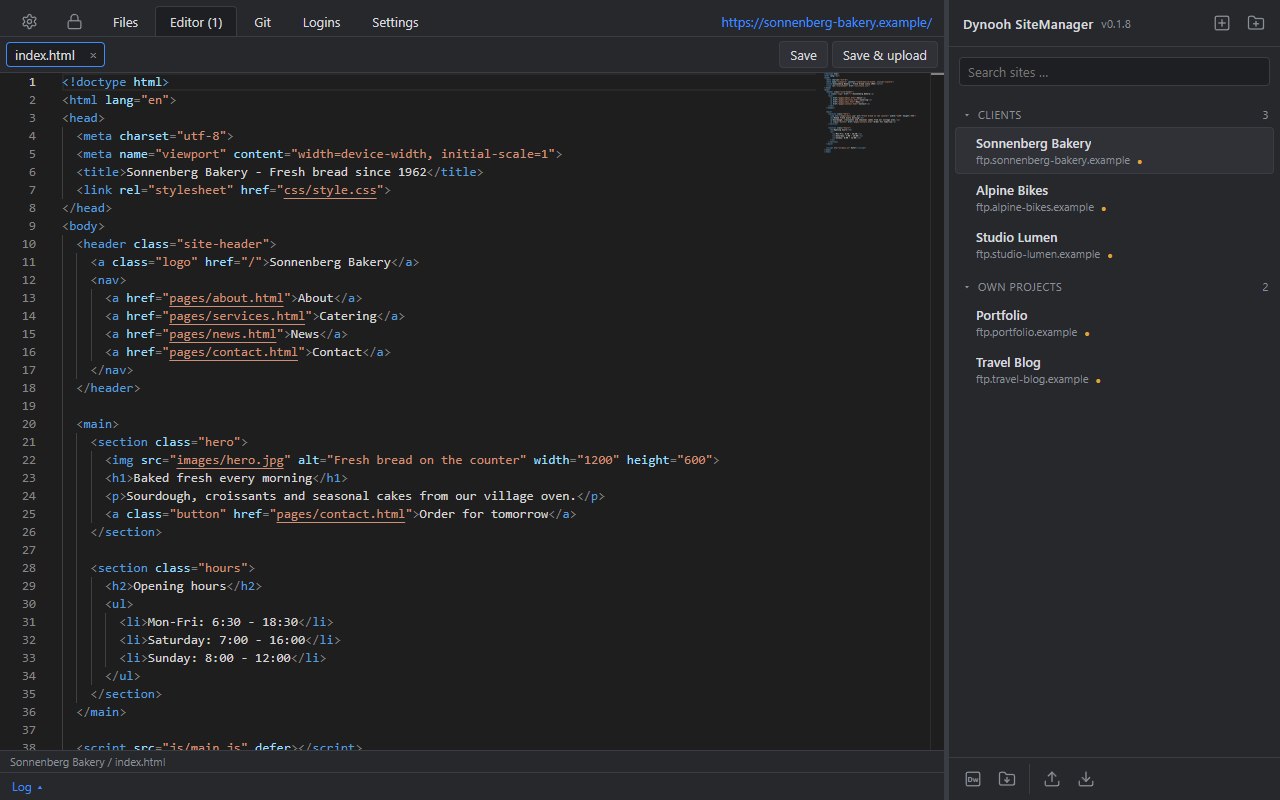
Built-in editor
Open and edit files directly, with several files in tabs.
Git integration
Status, commit, pull and push for every site without a separate tool.
Logins and passwords
Stored in the Windows Credential Manager and protected by a master password.
Encrypted export
Move sites including logins to another computer in an encrypted file.
Your layout
Light, dark or custom colours, flexible layout and English or German interface.
No installation needed: unzip the download and start «Dynooh SiteManager.exe». The program is code-signed (Certum, Christian Tanner), so Windows shows a verified publisher.
Frequently asked questions
Is SiteManager free?
Yes. SiteManager is free and open source under the MIT license – no account, no ads, no subscription.
Do I need to install anything?
No. Unzip the download and start «Dynooh SiteManager.exe». It only needs the Microsoft Edge WebView2 Runtime, which is already present on current Windows 10 and Windows 11 systems.
Can I take over my Dreamweaver sites?
Yes. SiteManager reads the site definitions Dreamweaver stored on your computer and takes them over with one click. Whole folders can be imported as sites too.
Where are my passwords stored?
In the Windows Credential Manager, additionally protected by a master password. Credentials only leave your computer to connect to your own servers.
How do I move my sites to another computer?
With the encrypted export (Argon2id and AES-256-GCM): export sites including logins to a file and import it on the other computer.